Quizgecko allows you can effortlessly export your AI-generated quizzes in formats like Aiken, CSV, and QTI, which are supported by the most popular LMS platforms.
LMS Platforms
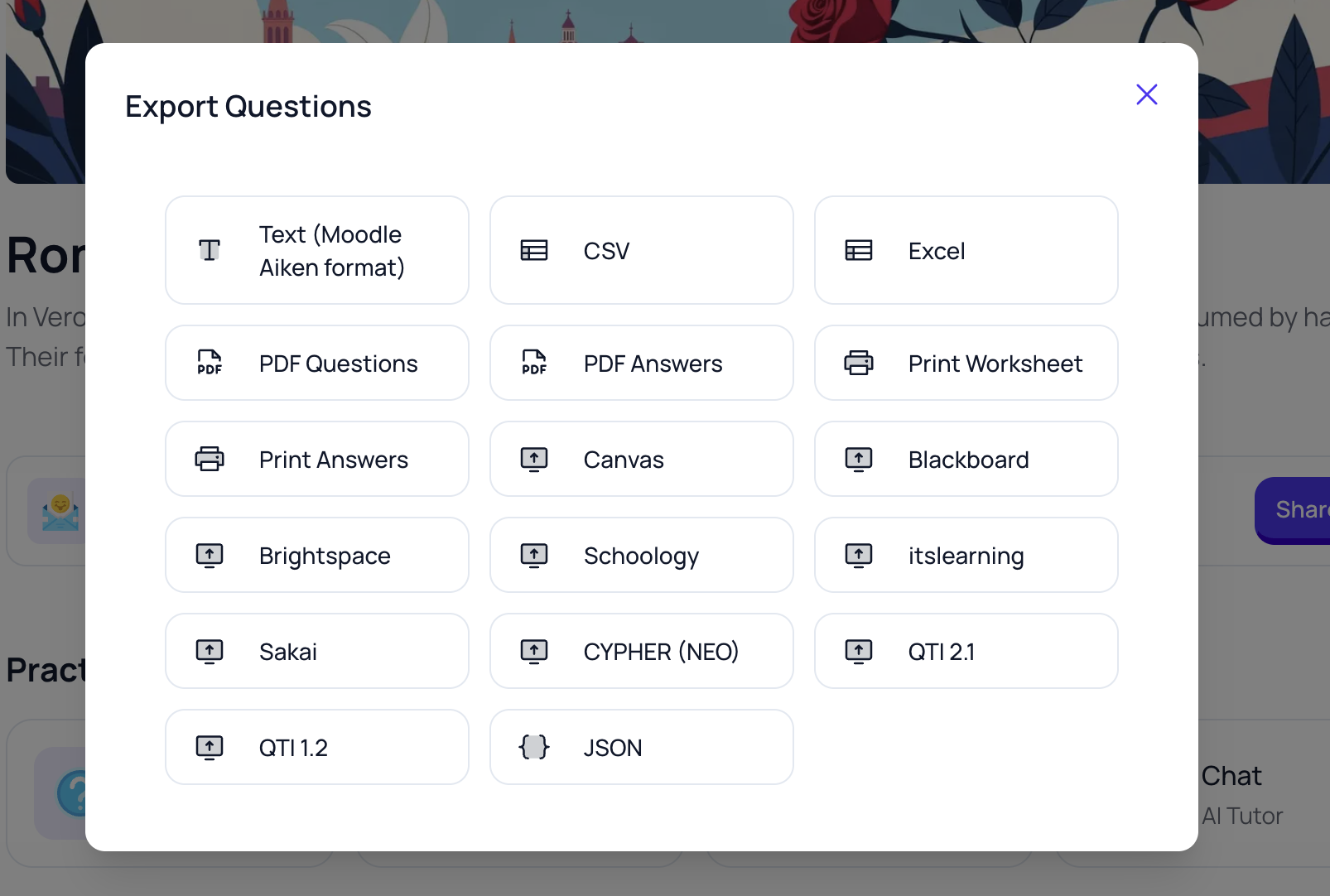
Quizgecko supports the following LMS platforms:
- Cavas
- Blackboard
- Brightspace
- Schoology
- itslearning
- Sakai
- CYPHER (NEO)
- QTI 2.1
- QTI 1.2
You can also export quizzes in the following formats:
- CSV
- Excel
- PDF Questions
- PDF Answers
- Print Worksheet
- Print Answers
How to Export Content to Your LMS
Create Your Course: Start by importing your existing quizzes or tests or use Quizgecko's AI to generate custom lessons based on your input.
Export Your Content: Select your Course and then select More and Export Questions.
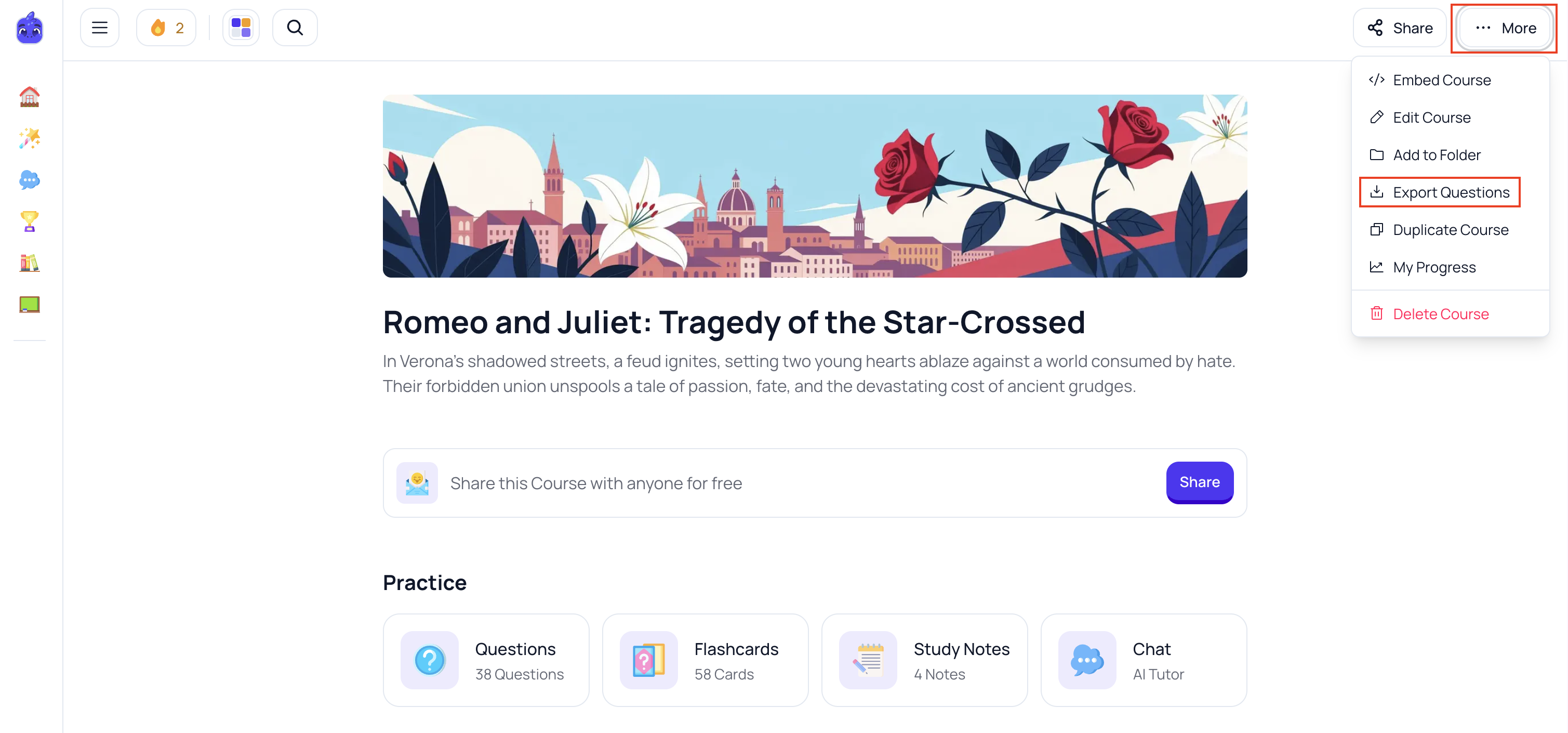
You can then choose from formats like Aiken, CSV, or QTI, depending on your LMS requirements.
- Upload to Your LMS: Log in to your LMS, navigate to the appropriate course section, and upload the exported file. Follow your LMS-specific instructions to finalize the import.
Please note that LMS exports are only available on our Organization plans.
Troubleshooting Common Issues
- Format Compatibility Errors: Ensure you're exporting in the correct format supported by your LMS.
- Import Failures: Double-check file size limits and import settings within your LMS.
- Data Sync Delays: For API integrations, verify your API configurations and connection stability.
Need Help?
If you encounter any issues or need assistance with LMS integration, email us and our support team will be happy to help. You can request a sample export to check that it works successfully with your LMS.